If your solar panels are suddenly producing less power than expected, the inverter is often the first place to check. This key component converts the energy your panels generate into usable electricity for your home. Spotting early warning signs and knowing what you can safely inspect at home helps you protect your system, maintain efficiency, and avoid costly repairs down the line.
Simple checks like monitoring app alerts or inverter lights can give you clues before problems worsen, ensuring your solar setup keeps working at its best.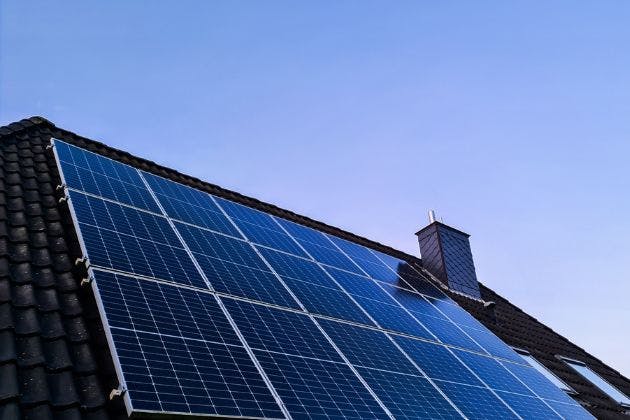
What your solar inverter actually does
The inverter is the brain of your solar PV system. It converts the direct current (DC) from your panels into usable alternating current (AC) for your home and the grid.
Most inverters also track how much energy you generate and may send this data to a monitoring app or web portal. If the inverter stops working properly, your panels may still sit in the sun, but your usable output can drop sharply or disappear altogether.
Common warning signs of solar inverter problems
You do not need to be technical to spot when something is not right. Pay attention to changes in lights, sounds and performance, especially on bright days when your system should be at its best.
Error codes or fault messages: Codes on the inverter screen or app often point to specific issues such as grid voltage, insulation faults or internal errors.
Red or flashing warning lights: Many inverters use red or amber LEDs to indicate faults, while green usually means normal operation.
No generation in sunny weather: If your monitoring app shows zero output at midday on a clear day, there may be a serious fault or shutdown.
Intermittent dropouts: Output that repeatedly starts and stops can suggest grid problems, loose connections or an inverter that is beginning to fail.
Unusual noises: Clicking relays at start-up can be normal, but loud buzzing, crackling or new fan noises may indicate trouble.
Overheating: An inverter that feels very hot to the touch on the casing or repeatedly trips on thermal fault may be struggling with cooling or placement.
Wi‑Fi or monitoring offline: A loss of communication alone might be a network issue, but if it coincides with reduced output it could point to a deeper fault.
Some of these symptoms are minor and easily resolved, while others can signal urgent safety problems. The key is to check safely and record what you see before calling in a professional.
Safe checks you can do before calling an expert
Electricity and live solar equipment can be dangerous. Never remove covers, expose wiring or attempt repairs yourself. The checks below are visual or app-based and suitable for most homeowners.
1. Check your monitoring app or online portal
Open your solar monitoring app and look for current power output, daily yield and any alerts. Compare today’s generation on a sunny day with previous similar days or the same month last year.
If output has dropped sharply for several days, take screenshots showing the dates and values. These are very helpful for your electrician or solar installer.
2. Look at the inverter display
Stand in front of the inverter and check the screen and indicator lights. Do not open the unit or touch any wiring or terminals.
Note the following details:
Any error codes or fault messages shown
The status (for example: normal, standby, fault, grid fault)
The current power output in watts or kilowatts
Write these down or take clear photos. Most manufacturers have technical guides that a qualified electrician can use to interpret the codes.
3. Check breakers and isolators, only if safe
If you feel comfortable and everything is easily accessible, you can visually check for tripped breakers or switched-off isolators. Never remove covers and never work on live electrics.
Look for clearly labelled solar PV breakers in your consumer unit and any external AC/DC isolator switches near the inverter. If something is obviously off, you may gently reset or turn it back on, provided you are not forcing it and there are no signs of burning, damage or water ingress.
If a breaker trips again immediately, do not keep resetting it. This suggests a fault that needs professional investigation.
4. Note external conditions and any recent changes
Make a quick list of anything that could help your installer diagnose the issue. For example, very hot weather can highlight marginal components, and recent storms can damage cabling or fittings.
Mention if you have added new electrical loads, changed your broadband router (affecting monitoring), or had roofing, scaffolding or tree surgery works near the panels.
When the problem is not the inverter
Not all low generation is down to a faulty inverter. Sometimes the inverter is simply reacting to another issue in the system or on the grid.
Common non‑inverter causes include:
Shading changes: New trees, an extension, neighbour’s building work or even a TV aerial can cast extra shade. This can cut output significantly, especially with string inverters.
Soiling on panels: Heavy dirt, bird mess or moss can reduce performance. Light dust is normal, but obvious build‑up may need a safe, professional clean, especially on roofs.
Loose connections or string faults: A failed connector, damaged cable or a problem with one string of panels can cause the inverter to reduce or stop generation. Testing and fault‑finding here should only be done by a qualified person with the correct equipment.
Grid voltage issues: In the UK, inverters must shut down or limit output if the grid voltage goes out of range. Persistent “grid overvoltage” faults often require your electrician to record evidence and liaise with the Distribution Network Operator (DNO).
Safety, testing and compliance
Any detailed testing of a solar PV system involves working on live DC circuits and AC mains. This requires specialist instruments, isolation procedures and knowledge of current wiring regulations.
A competent electrician or solar installer should:
Isolate the system correctly, verify it is safe to work on, and then carry out performance checks, insulation resistance tests and voltage measurements at appropriate points. Once any repairs are made, they should test again, restore power and issue any relevant certification or updated documentation.
This process not only keeps everyone safe but also helps maintain your warranty and compliance with standards, especially if you ever sell your home.
Next steps and getting expert help
If you have recorded error codes, checked your app and still suspect an inverter or solar PV issue, it is time to call in a professional. Early attention can often save an inverter from complete failure and restore lost generation.
For a thorough diagnostic visit, including safe testing, fault‑finding and clear advice on repair or replacement options, contact Resistance Electrical on 07935923323. Ask about our solar service options and request a visit through our solar service page and your nearest solar location page so we can schedule an assessment that suits you.
To learn more about common panel and system issues beyond the inverter, make sure you also read our main Solar PV Issues blog post, which complements this guide without repeating it. Together, these resources will help you get the best performance and reliability from your solar investment.